Order Tracking Screen
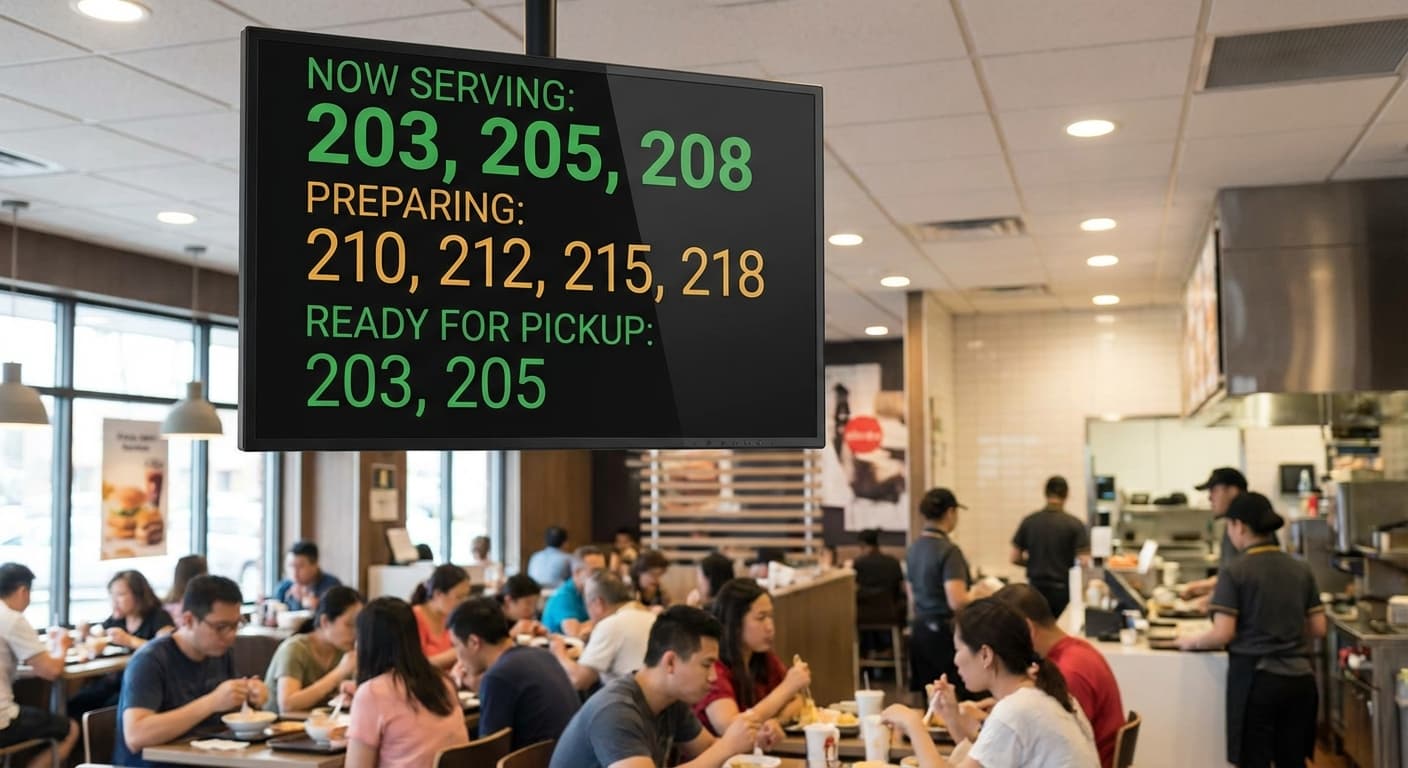
Inform your customers of their order status on a dedicated screen.
Trusted by 500+ venues worldwide
Improve the wait
Clear Communication
Display 'Preparing' and 'Ready' automatically.
Fewer Interruptions
Customers no longer ask 'Is it ready?' at the counter.
Modern Image
A professional experience like the big chains.
In 3 steps
Up and running in less than a day
Pick what you need
Tell us about your venue. We pre-configure your workspace with the right modules — no useless features cluttering the screens.
Import your menu in minutes
We migrate your products, modifiers and prices from your previous system. You only validate.
Train your team in 15 min
The interface is so intuitive that one short briefing is enough. Our team stays with you on go-live day.
Frequent questions
Real-time tracking on your customers’ phone — and on the in-store screens.
How do my customers track their order on their phone?
From their phone, they see live status (received, preparing, ready, out for delivery) without installing anything. The page refreshes in real time. You can also turn on an SMS or WhatsApp notification. SMS is sold in packs. Ask a salesperson for the terms.
What hardware do I need for the in-store tracking screen?
Any screen with a browser — TV, monitor, tablet, even a Chromecast. Plug it in, open the tracking URL, and your customers see the live queue with their order number and current status.
Can I customise the screen (logo, sponsors, ads)?
Yes — fully configurable from the manager. Add your logo, your brand colours, sponsor logos, rotating ads, photos of dishes… Make it feel like your venue, not a generic display.
How many screens can I plug in?
Unlimited per venue. Different screens can show different views — pickup queue at the counter, kitchen-side monitor for the team, customer-facing display in the dining room.
Goes well together
Go further
Production screens
Each product goes to the station that prepares it.
Learn moreQR Code Ordering
Allow your customers to order and pay instantly from their table without waiting for a server.
Learn moreClick & Collect
Your own takeaway ordering page: customers order, pay and collect at your counter.
Learn morePoint of sale
Table service or counter sales: orders, preparation and payment in the same till.
Learn more